Timeline jquery – APOEL Champions League 2011 – 2012
0
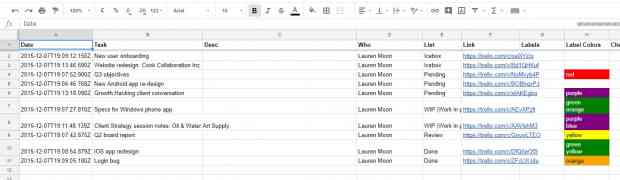
I liked the jquery timeline so much that I had to do one more. This time I created a timeline as a tribute on APOEL’s Champions League adventure with links from http://www.uefa.com. Below is an embedded version in my post using the Timeline wordpress plugin, but you can also view a full screen version at APOEL Champions League 2011 – 2012 (which is much nicer). To create the timeline I used this google spreadsheet. Take a look. (more…)
Evernote Working Example – Business Meeting 2
1
In this post I will present the work I did in Evernote at the Business Meeting described in my previous post. I will try and point out the pros and cons of using Evernote for meetings as they emerged from this working example.
Throughout the whole process I used Evernote to store and retrieve information, either on the desktop, mobile or tablet. The purpose was to have a single point where I enter the information for this meeting, have a fast way of entering and organizing information, and have an easy and fast way of gathering the information I need at any time to do the actual work.
Since I seem to be going to a lot of meetings lately I created some templates. I had separated the information and my work into 3 groups, taking into consideration the information I would need when performing each task. Those three groups together with a todo list make the four notes of my template for meetings which are:
- Todo List
- Administration Notes
- Work (meeting) Notes
- Travel Notes
In all the stages of the process I was updating these four notes and together with some additional notes for Expenses, they make out all the documentation I need from my meeting.
Evernote Working Example – Business Meeting 1
1
In the following posts I will present an actual working example of how I use Evernote in real life. Specifically I will show the how I use Evernote on an actual business meeting, taking advantage of the tagging and advanced search functionality of Evernote. The purpose of these posts is to show how we can actually put into action all the theory that has been developed around Evernote and GTD. In this first post I will present the scenario, and describe the problem with the traditional way. In the posts that will follow I will present my actions before, during and after the business meeting.
Getting Organized with Evernote – GTD Task Management
0In this post I will present a method for implementing GTD Task management with the help of Evernote. This method relies on the methodology described on Getting Organized with Evernote – GTD Methodology.
Task management plays an important role in getting organized, especially in environments where change is constant. Again David Allen’s GTD gives us a great starting point to come up with our own methodology. I will rely on GTD and Evernote once more and end up with a way to manage our chaotic and constantly demanding lives.
Getting Organized with Evernote – GTD Methodology
4This is the first of a series of tutorial like posts that will follow concerning how to get organised with Evernote.
There are a lot of methods that people use for getting organized, each having its own pros and cons. When it comes down to actually putting the methods into actions there is no right or wrong, rather it depends on the individual (or group). There are some basic characteristics one should take into account though. For example spending less time in organizing stuff and more on actions, or taking less time on retrieving information.
That is exactly what GTD by David Allen is trying to achieve. Free time, mind and energy from the administrative tasks of getting organized so that we can concentrate in actually doing stuff. Its workflow asks you to Collect staff where you put everything in a Mary Poppins kind of bug (Inbox), Process it where you separate stuff into Trash, Review, Reference or Tasks, if it is a task Organize it with some very basic actions Do, Delegate, Deffer, Review from time to time and finally actually Do the task.
There are tons of articles out there about GTD so I will not go deeper than that. Instead I am going to present my own little methodology based on GTD, with a little help from Evernote. I will explain how I reduced the amount of information I need to remember and the amount of time I need to retrieve information. Also I will try and explain how I reduced the amount of time needed for storing and organizing my stuff in Evernote. In future posts I will present more specific methods of how to use Evernote, for example for Task Management or Filing, but to do that I need to explain the methodology first. (more…)
Getting Organized with Evernote
0
Am introducing a new category in my blog dedicated to getting organized with the help of Evernote. The posts under this category are inspired by my own experience with Evernote and from my constant effort to get organized.
Timeline jquery plugin
0
Remember my post on news timeline… well now its even easier to implement with Timeline, a jquery plugin for displaying linear date based events. It is really easy to use and it can pull in media from different sources such as Twitter, YouTube, Flickr, Vimeo, Google Maps or SoundCloud. Timeline uses as input either a Google spreadsheet or a detailed JSON file. The interface is simple but gorgeous, but I have some concerns on how it would look like or act on different devices and browsers (iPhone, Androids, IE). I followed the instructions on their website and setup a test timeline.
(more…)
Phone + Camera + Tablet = Laptop
2
I love integrating stuff, either cloud like stuff (see Productivity Services 101, Multi-OS/device Task Management with toodledo), or hardware stuff (see ASUS PadFone). The trend was to have devices that do everything, like a phone that you can use to communicate with others, take photos or videos, browse the web, read news, check out a map, play games, send rockets to outer space, make coffee … (you get the picture). That’s all nice and dandy but at the end of the day in our effort to save time, do everything on the road, be more productive and so on, we end up loosing the very characteristics that make each device unique for its purpose. For example you can type much faster using a full keyboard rather the one on your little smartphone’s touchscreen. And trust me, making calls from a Samsung Galaxy tablet is not an easy task.
Power by simplicity with ifttt
0
With ifttt.com you can create tasks depending triggers from various channels on the basis of “If this then that”. Sounds very basic … and it is. Its power though comes from combining different channels giving its users the chance to automate a lot of processes done manually up to now. Classic example is when you are tagged on a new image on facebook, download it in your dropbox account. Pretty cool right?
Google maps directions for Cyprus
1
At long last you can find your way in Cyprus with google maps. Directions have been enabled on their platform and the street coverage seems to be decent. You can search streets using both English or Greek names. Now everyone with moble internet and google maps on their phones have a GPS navigation system on their hands. Have fun.